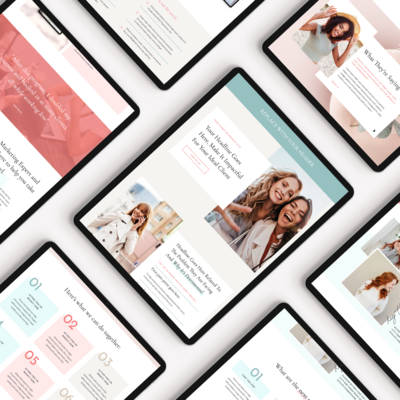
For most service providers, the design is the easy part. You find a template you love, you can picture your photos in it, and you’re excited to get started. Then you sit down to write the actual words and everything slows to a halt.
What do you say on the homepage? How much should your about page be about you versus your clients? How do you describe your services without sounding like everyone else? What even goes on a contact page?
Website copywriting for service providers trips people up not because they don’t know their business, but because writing about yourself is genuinely hard. You’re too close to it. You know too much. And the blank page doesn’t help.
This guide breaks it down page by page — what each page needs to accomplish, what to actually write, and the questions to ask yourself to get the words out. Work through these in order and you’ll have a complete first draft of your site copy before you know it.
Before you write anything: know who you’re talking to
Every page of your website is a conversation with a specific person. Before you write a single word, get clear on who that person is — not in a vague “women entrepreneurs” way, but specifically. What stage of business are they in? What’s the problem they’re trying to solve? What have they already tried? What are they afraid of?
The more clearly you can picture that one person, the easier every page becomes to write. You’re not writing for everyone. You’re writing for her.
The Homepage
Your homepage has one job: make the right person want to stay and send the wrong person somewhere else quickly. It’s not a place to explain everything about your business. It’s a place to establish immediately that you understand your visitor and have something worth their time.
The hero section
This is the first thing someone sees. It needs to answer two questions within seconds: what do you do, and is it for me?
Lead with an outcome, not an offer. Instead of “Showit website designer for small businesses,” try “A website that finally looks as good as the work you do.” One tells someone what you are. The other tells them what changes for them.
Pair your headline with a short subheadline (one or two sentences) that adds context — who you serve, what makes your approach different, or a secondary benefit. Then a clear CTA button. That’s the whole hero section.
The middle sections
From there, your homepage should move through a loose flow: establish the problem your reader is facing, introduce yourself as the guide who can help, give a brief overview of how you work or what you offer, and show some proof that it works (testimonials, client results, logos).
You don’t need to explain everything. You need to say enough that the right person wants to click through to your services or about page to learn more.
Ask yourself as you write each section: does this help my ideal client understand that I’m the right person for them? If not, cut it.
What most people get wrong on the homepage
Too much information, not enough clarity. Long paragraphs explaining your philosophy, your process, your background — all before the visitor has decided they’re even interested. Save the depth for your inner pages. The homepage earns the click to those pages. That’s its job.
The About Page
Despite the name, your about page isn’t really about you. It’s about why you — told through your story, your values, and your perspective — in service of your reader.
The visitor landing on your about page is asking: can I trust this person? Do I like her? Does she get people like me? Your job is to answer yes to all three without it feeling like a resume or a highlight reel.
Start with them, not you
The most common about page mistake is opening with “Hi, I’m Jessica and I’ve been designing websites for seven years.” That’s fine, but it’s inside-out. Start by naming something true about the person reading the page — their situation, their goal, their frustration — before you introduce yourself.
Something like: “If you’ve been putting off your website because you’re not sure how to make it actually represent the business you’ve built — you’re in the right place.” Now they’re nodding, and you’ve earned the introduction that follows.
Your story, edited for relevance
Share your background, but filter it through the lens of what’s relevant to your reader. Your credentials matter. Your experience matters. The pivot you made that led you here matters if it connects to why you understand your clients’ situation.
What doesn’t need to be on your about page: your entire career history, awards that don’t mean anything to your ideal client, or personal details that aren’t connected to your work or your values.
A few personal details that make you human
That said, some personal color goes a long way. Where you’re based, what your work setup looks like, what you do outside of work — these small details make you feel like a real person rather than a brand voice. One or two sentences is enough.
End with a CTA
Your about page should lead somewhere. A link to your services, an invitation to book a call, or a prompt to browse your work. Don’t leave the visitor at the end of your story with nowhere to go.
The Services Page
Your services page is where most buying decisions get made — and where most service provider websites lose the sale. The two most common reasons: too much information presented without clear structure, or too little information that leaves the visitor with unanswered questions.
The goal is to make it easy for the right person to say yes and easy for the wrong person to self-select out.
Lead with who it’s for
Before you list what’s included in each service, state clearly who each offer is designed for. “This is for you if you’re an established consultant who wants a site that reflects where your business actually is” does more work than a bullet list of deliverables.
Describe the transformation, not just the deliverables
What does a client have at the end of working with you that they didn’t have before? Not just the tangible output (a website, a strategy, a set of templates) but the intangible shift — the confidence, the clarity, the feeling of being ready.
Lead with that, then back it up with the specifics.
Be clear about what’s included and what isn’t
Vague service descriptions force potential clients to email you before they’re ready to buy. The more clearly you answer the likely questions — what’s included, how long it takes, roughly what it costs, what happens after purchase — the less friction there is between interest and inquiry.
You don’t have to publish exact pricing if that’s not your model. But a starting point, a range, or even a clear “investment starts at” gives visitors the context they need to know if they’re in the right ballpark.
One clear CTA per service
Each service description should end with a single next step. Book a call, get started, apply now — whatever makes sense for your offer. Don’t present three different options. One action per service.
The Contact Page
Your contact page is doing more work than you probably give it credit for. It’s the last page someone visits before they reach out — and the copy here either reassures them or creates doubt right at the moment they’re about to take action.
A warm, direct opener
Skip the generic “get in touch!” heading and write something that speaks to the person who’s landed here. Acknowledge that reaching out takes a little courage. Name what they’re hoping for. Something like: “Ready to talk about your website? I’d love to hear what you’re working on.”
Set expectations clearly
Tell people what happens after they submit the form. How soon will you respond? What does the next step look like? Removing the uncertainty about what happens next makes it easier to hit send.
Keep the form simple
Name, email, a brief description of what they’re looking for, and how they found you. That’s usually enough. Long contact forms with many required fields create friction and reduce completion rates. You can gather more details once the conversation has started.
A note about availability
If you have a waitlist, limited spots, or a specific intake timeline, mention it briefly. This manages expectations and also subtly signals that your work is in demand — which is a form of social proof.
The Blog
Your blog page doesn’t need much copy — it’s mostly a gateway to your posts. But a few small additions make it more effective.
A short intro above the posts
Two or three sentences that tell a new visitor what your blog covers and who it’s for. “Practical guidance on websites, design, and building an online presence that actually works — for women in service-based businesses.” Simple, clear, and helps both readers and search engines understand what they’ll find here.
Categories that make sense
Organize your posts into categories that your reader would actually think in. Not categories that make sense from your content planning perspective, but ones that match how someone would look for information. “Website strategy,” “Showit tips,” “Business tools” — clear and navigable.
A CTA somewhere on the page
Even your blog index is an opportunity to move a visitor toward your offer. A simple sidebar or banner — “Ready to upgrade your website? Browse templates” — keeps your shop visible without interrupting the reading experience.
A few copywriting principles that apply to every page
Write like you talk. Read your copy out loud. If it sounds like something you’d never actually say in a conversation, rewrite it until it does.
Short paragraphs. People don’t read websites — they scan them. Short paragraphs are more readable, more skimmable, and feel less overwhelming than walls of text.
One idea per section. Each section of each page should have one clear point. When you try to communicate multiple ideas in the same section, none of them land as well.
Edit down, not up. Your first draft will almost always be longer than it needs to be. The goal isn’t to fill space — it’s to say what needs to be said as clearly as possible, then stop.
Ready to put your copy to work?
Once your copy is written, the next step is a design that makes it shine. The templates in the shop are built with page structures that support exactly this kind of content — clear hierarchy, intentional flow, and layouts designed to move visitors from curious to ready.